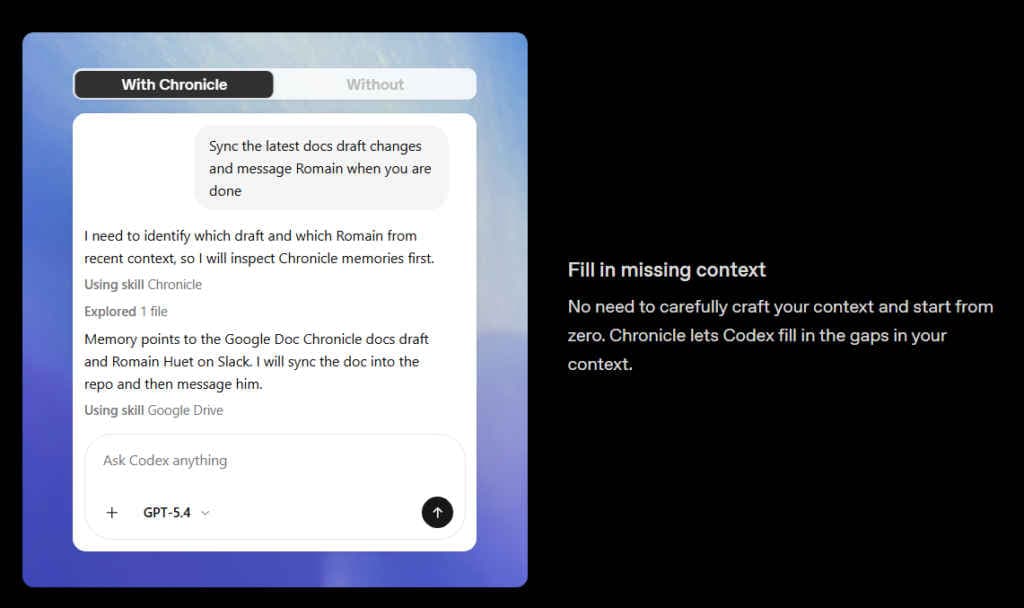
If you’ve ever spent the first five minutes of an AI coding session re-explaining what you were working on, Chronicle is OpenAI’s attempt to fix that. Instead of needing to describe what you’re doing before every Codex session, Chronicle records your actions behind-the-scenes so Codex has a general understanding when you return to work again. For instance, if you make a pull request or look up some documentation while using other tools, Chronicle creates the necessary context automatically in its memory so you don’t have to describe what you were doing.
Survey Thank you for completing the survey! Also read: OpenAI releases Chronicle in Codex: What is it and how to use Chronicle operates within Codex’s memory system. When using Codex with Chronicle enabled, it can use the screen-based memories that have recently been generated to determine what you’re referring to, find the appropriate file/source, and leverage any tools or workflows you use, which may eliminate the need for you to articulate what’s being requested at the beginning of the interaction with Codex each time.
Chronicle acts as a sandboxed background agent on macOS machines. The app periodically takes pictures from your screen using your macOS machine, and it saves these pictures as lightweight markdown memory files saved on the user’s local machine. The screen captures themselves are deleted after six hours of their creation, but the memories they create are saved until the user deletes them.
Also read: 5 things John Ternus needs to fix at Apple after taking over as CEO from Tim Cook There are some real caveats worth knowing upfront. First, Chronicle is currently only available as an opt-in research preview and only for ChatGPT Pro subscribers who have macOS. Also, OpenAI has been very transparent about how quickly it consumes rate limits, Chronicle creates continuous background processes as part of the app’s efforts to create memory files from screen captures, which rapidly uses up rate limits, causing additional wait time for the user.
The bigger concern is security. Chronicle increases your exposure to prompt injection attacks because it’s reading whatever is on your screen, including websites. If you visit a page with malicious instructions embedded in it, there’s a chance Codex follows them.
OpenAI recommends pausing Chronicle before meetings or when viewing anything sensitive, and the pause option lives in the macOS menu bar. Memories are stored as unencrypted markdown files, meaning other programs on your computer can access them too. Chronicle is clearly early-stage, and OpenAI isn’t hiding that.
But the basic idea is simple – the less time you spend re-establishing context with an AI tool, the more useful that tool actually becomes. Also read: Tim Cook’s biggest win in 15 years with Apple was with the Macs